FetchKids - Organized Pickups
- 3.2
- Rating
- 10.00K
- Installs
- Free
- Price

 Analysis by App-foxy
School pickup is one of those everyday jobs that looks simple until several adults, students, vehicles, and last-minute changes have to line up at the same time. FetchKids - Organized Pickups is a free parenting app from Expanded Apps, Inc. that focuses on the school dismissal side of that problem. Rather than presenting itself as a broad family organizer, it is built around helping schools manage how students are released at the end of the day.
I approached it as a parent who wants a clearer handoff between the school and the person collecting a child. The appeal is easy to understand: fewer shouted names, fewer uncertain instructions, and a more organized transition from classroom supervision to the authorized pickup process. The app has a narrow purpose, and that is both its strongest quality and its main limitation.
The situation it is designed to improve
A typical dismissal can involve a parent arriving in a car, another adult collecting a child on behalf of the family, and school staff trying to match students with the correct pickup arrangement. When those details are handled through paper lists, verbal updates, or scattered messages, small mistakes become stressful very quickly.
You May Also Like

 Blood Strike: 2.5 Anniversary
Blood Strike’s Loadouts Turn Every Drop Into a Tactical Gamble
A close look at Blood Strike’s custom loadouts: how fast access to signature weapons reshapes its battle royale rhythm, rewards preparation, and narrows the gap between fights.

 Pandora - Music & Podcasts
Pandora’s Music Is Easy to Start, but Harder to Recover
Pandora’s strength is its low-effort path from a seed to a station. Its weak spot is how much confidence it asks you to place in connection, setup, and quiet recovery.

 8 Ball Pool
 Is Built on Rivalries, Rematches, and Routine
A close look at the rivalries, rematches, shared routines, and unanswered safety questions that turn a quick pool match into a persistent mobile community.

 Samsung Music
’s Quiet Strength Is Playing What You Already Own
Its reach comes less from spectacle than from dependable access to a personal library. That simplicity is both the app’s strongest retention engine and its ceiling.

 AccuWeather: Weather Radar
AccuWeather Review: A Quick, Clear Forecast for Everyday Decisions
For everyday plans, the best forecast is the one you can understand quickly. AccuWeather makes rain timing, radar, and local conditions easy to act on, with a few trade-offs.

 Hill Climb Racing
Why Hill Climb Racing Still Turns Crashes Into One More Run
A tiny car, a bumpy hill and one more upgrade: Hill Climb Racing keeps resurfacing because its simple chaos makes every near-miss feel personal.
More From Our News Desk
View All News


FetchKids fits into that gap as a school administration tool within the parenting category. Its store summary describes the central job clearly: managing how students are dismissed. That means the app makes the most sense when the school or its staff are using it as part of their own process, rather than when a parent expects a standalone child-tracking app to solve every family scheduling problem.
That distinction matters before installing it. A parent can want a smoother pickup experience, but the usefulness of this particular app depends on whether the relevant school has adopted it and how consistently staff and families follow the same workflow. It is not the kind of download I would recommend simply because someone wants a shared family calendar, a location map, or a general messaging tool.
What using it feels like from the parent side
The most realistic way to understand the app is to follow a complete dismissal scenario. Imagine that I am collecting my child after school. The starting condition is that the school needs to know which students are leaving, who is collecting them, and how the release should be organized. My job is not merely to arrive at the gate; I need to fit into the school’s chosen process.
In that situation, I would first make sure my school actually uses FetchKids and that my family has been given the required instructions. This is an important practical step because an app cannot replace the school’s enrollment or authorization procedure. If the school has not connected my child and pickup details to its system, opening the app alone will not create a working dismissal record.
Once the school-side setup is in place, the app’s value is in making the pickup request or status visible within that shared process. The exact usefulness comes from everyone working from the same information: the family provides the intended pickup details, school staff manage dismissal, and the student is released through the school’s procedure.
I would treat the app as one part of a chain rather than as a magic button. Before leaving home, I would check that the intended pickup arrangement is still correct. If someone else is collecting my child, I would avoid assuming that a casual verbal message is enough; the school’s accepted method for recording a change remains essential. That habit prevents the common problem where the parent thinks a change was communicated but the staff member at dismissal never sees it.
At arrival, the handoff becomes the key moment. The family is asking the school to recognize the pickup request, while staff must confirm that the student can be released under the school’s rules. The app is useful here because it is aimed at organizing that transition, not simply reminding me that pickup exists.
Why the handoffs matter more than the download
Most pickup problems occur between people, not inside a phone. A parent may submit one instruction, a relative may arrive with another understanding, and the staff member supervising the line may have to resolve the difference under pressure. Any useful dismissal system therefore has to make the handoff clearer.
FetchKids is best viewed as a coordination layer between families and school administration. The family side supplies the intended pickup information. The school side interprets it within its release rules. Staff then carry out the physical handoff. That division of responsibility is sensible: the app can organize information, but it cannot independently decide whether a child should be released when the school’s authorization requirements are not satisfied.
A practical tip is to use consistent names and instructions. If a family member is listed one way in school records but described differently in a last-minute message, staff may still need to stop and verify the situation. The app can reduce ambiguity only when the information entered by families matches the language used by the school.
Another useful habit is to separate routine changes from emergencies. A planned change in who collects a child should be handled early through the school’s accepted workflow. A sudden emergency still requires direct contact with the school if that is what its policy demands. I would never treat an app status as permission to bypass a staff member’s judgment at the gate.
There is also a subtle trade-off for schools. A shared digital process can reduce dependence on handwritten lists and repeated verbal explanations, but it introduces a new responsibility: staff must keep the digital record aligned with what is happening in person. If one part of the team uses the system and another relies on an old list, the family may experience more confusion rather than less.
A realistic afternoon from request to release
Here is how I would use the app in an ordinary, non-dramatic case. My child normally follows one pickup routine, but today I am arriving instead of the usual person. I would begin by checking the school’s instructions and making the change through the method the school expects. I would then review the information before traveling, rather than trying to solve the entire issue while waiting in the pickup line.
At school, staff need to connect my arrival with the student’s dismissal record. This is where an organized system can be more helpful than a parent simply calling out a child’s name. The school can work from its process, and I can follow the instructions without repeatedly explaining the same situation to different adults.
The outcome I want is modest but important: the right student is matched to the right pickup arrangement, and the handoff happens with less uncertainty. FetchKids does not need to entertain the child, plan the family’s evening, or replace communication about unusual circumstances. Its success is measured by whether dismissal becomes easier to coordinate.
This workflow also shows why the app may be more valuable to a school community than to one isolated parent. If only one family uses it while the rest of the dismissal process remains manual, the improvement may be limited. If the school has built its release routine around it, the same app can become a familiar checkpoint for many daily handoffs.
What families should clarify before relying on it
The first question I would ask is whether my school actively supports FetchKids. The app’s purpose is tied to school administration, so adoption is not a minor detail. A parent should know who creates or approves the child’s pickup information, how changes are handled, and what to do if the phone is unavailable.
I would also ask how the school handles an unexpected collector. For example, if a grandparent arrives instead of a parent, the important issue is not merely whether that person can use the app. The school must have a way to recognize the change and confirm that the adult is allowed to collect the student. Understanding that procedure in advance is more useful than discovering it at the busiest moment of the day.
A third question concerns routine reliability. If a parent normally collects a child on foot but occasionally uses a car, the family should know whether the school expects separate instructions for those situations. The app may organize the school’s chosen dismissal categories, but families still need to follow them accurately.
I would keep a backup plan as well. Phones run out of power, notifications can be overlooked, and a child’s dismissal may change unexpectedly. A sensible backup is knowing the school’s main contact route and carrying whatever identification or authorization the school normally requires. Digital organization should support the school’s safety process, not become the only thing a family depends on.
Where the experience can become frustrating
The biggest friction is the app’s dependence on a participating school and a shared routine. A parent looking for an independent organizer may install it and find that it does not solve the problem they had in mind. It is not a replacement for a family calendar, a group chat, or a general childcare scheduling service.
There is also a learning curve created by handoffs. Even if the app itself feels straightforward, the surrounding process may involve school office staff, classroom staff, pickup supervisors, and family members. Every person needs to understand which information belongs in the app and which situations still require direct communication. A tool can be technically simple while the real-world workflow remains complicated.
Last-minute changes are another pressure point. A digital request is helpful only if staff see it in time and treat it according to school policy. I would be cautious about making a late change and assuming that a screen update automatically guarantees release. When timing is tight, direct confirmation from the school is the safer choice.
The modest store footprint also suggests that new users may need patience while judging whether it fits their community. The app has an average rating of 3.2 from around 31 ratings and about 17 written reviews, so the public feedback is limited rather than decisive. I would use those figures as a reason to test the school’s actual workflow, not as a final verdict on the concept.
From a technical compatibility perspective, the listed minimum is Android 5.0, and the current version is 1.6.4.4. That makes it accessible to some older Android devices, which can be useful in a family where not everyone has a recent phone. At the same time, older operating systems can bring their own notification or compatibility quirks, so I would test the app before relying on it during a busy dismissal.
How it compares with familiar alternatives
The usual alternative is a paper dismissal list combined with verbal instructions. That approach can work well in a small, consistent setting, especially when the same staff see the same families every day. Its weakness is that changes are harder to distribute and records can be separated from the people carrying out the release.
Another alternative is a school messaging channel. Messaging is useful for conversation, but it is not automatically a structured dismissal record. A message can be buried among unrelated announcements, sent to the wrong person, or read without being connected to the staff member managing the pickup line. FetchKids is more focused because its purpose is the dismissal workflow itself.
Family calendar apps are better for planning who is responsible on which day. They can show that a grandparent is scheduled to collect a child, but they generally do not replace the school’s own authorization and release procedure. I would use a calendar for household planning and FetchKids, where supported, for the school-facing handoff.
For schools that need a broad parent communication platform, a larger administrative system may be a better fit if it combines attendance, announcements, forms, and dismissal in one place. FetchKids is more appealing when the immediate problem is specifically organized pickups and the school does not want families navigating a large collection of unrelated features.
Who will get the most from it
I see the strongest fit for families whose schools have already chosen this system and have explained how to use it. It can also suit parents who regularly deal with changing pickup responsibilities and want those changes handled through a recognizable school process instead of scattered conversations.
It may be especially helpful in a school where dismissal involves many students leaving through different arrangements. In that environment, having a dedicated focus can be more practical than asking staff to reconstruct each child’s plan from messages and paper notes.
I would be less enthusiastic for a parent whose school does not use it, whose pickup routine is already extremely simple, or who wants a broader parenting app. Someone seeking meal planning, child location sharing, family calendars, or detailed communication tools should look elsewhere. The narrow focus is a benefit only when it matches the actual problem.
Schools should also consider staff training and consistency before promoting it widely. The app cannot compensate for unclear policies. Administrators need to decide how changes are submitted, who reviews them, and how staff respond when the information in the system conflicts with what a person says at the gate. Those decisions are part of the product experience even though they happen outside the phone.
My assessment after following the whole process
FetchKids is a focused free parenting app that tries to make school dismissal more orderly by giving the pickup handoff a dedicated place in the school’s workflow. I appreciate that it targets a real source of daily stress instead of trying to become an all-purpose family dashboard.
Its value is conditional, though. The best result comes when the school has adopted it, families enter changes carefully, and staff use the same process consistently. In that setting, it can turn a loose chain of calls, notes, and shouted instructions into a clearer path from pickup request to student release.
The app is available to Everyone and has passed the ten-thousand-install mark, which gives it a meaningful presence without making it feel like an unavoidable mainstream standard. I would not choose it based on popularity alone. I would choose it after confirming that my school uses it and that the school’s rules fit the way my family handles pickups.
My recommendation is straightforward: use it when your school has made it part of dismissal, and treat it as a coordination tool rather than a substitute for authorization or direct contact. If that shared workflow exists, FetchKids can remove useful friction from an otherwise chaotic part of the school day. If it does not, a family calendar, school messaging channel, or another school-supported system will probably serve you better.
FAQs for FetchKids - Organized Pickups
01What is FetchKids and how does it work?
FetchKids is a mobile application designed to streamline the pickup process for schools and parents. It allows parents to schedule and communicate pickup times, while schools can efficiently manage and organize student pickups. The app provides real-time updates and notifications, ensuring a smooth and secure pickup experience for everyone involved.
02Is FetchKids secure for my child’s pickup information?
Yes, FetchKids places a strong emphasis on security and privacy. It uses encryption and secure data handling practices to ensure all user information, including pickup details and schedules, is protected. Only authorized users, such as parents and school staff, have access to this sensitive information.
03Is FetchKids compatible with both Android and iOS devices?
FetchKids is available for both Android and iOS platforms, making it accessible to a wide range of users. Whether you have an Android smartphone or an iPhone, you can download the app from Google Play Store or Apple App Store and enjoy its features without any compatibility issues.
04Does FetchKids offer real-time updates and notifications?
Yes, FetchKids provides real-time notifications and updates to keep parents and school staff informed about the latest pickup schedules and changes. Users receive alerts regarding any modifications, ensuring everyone is on the same page and reducing the likelihood of miscommunication during pickups.
05Can FetchKids be used for multiple children and locations?
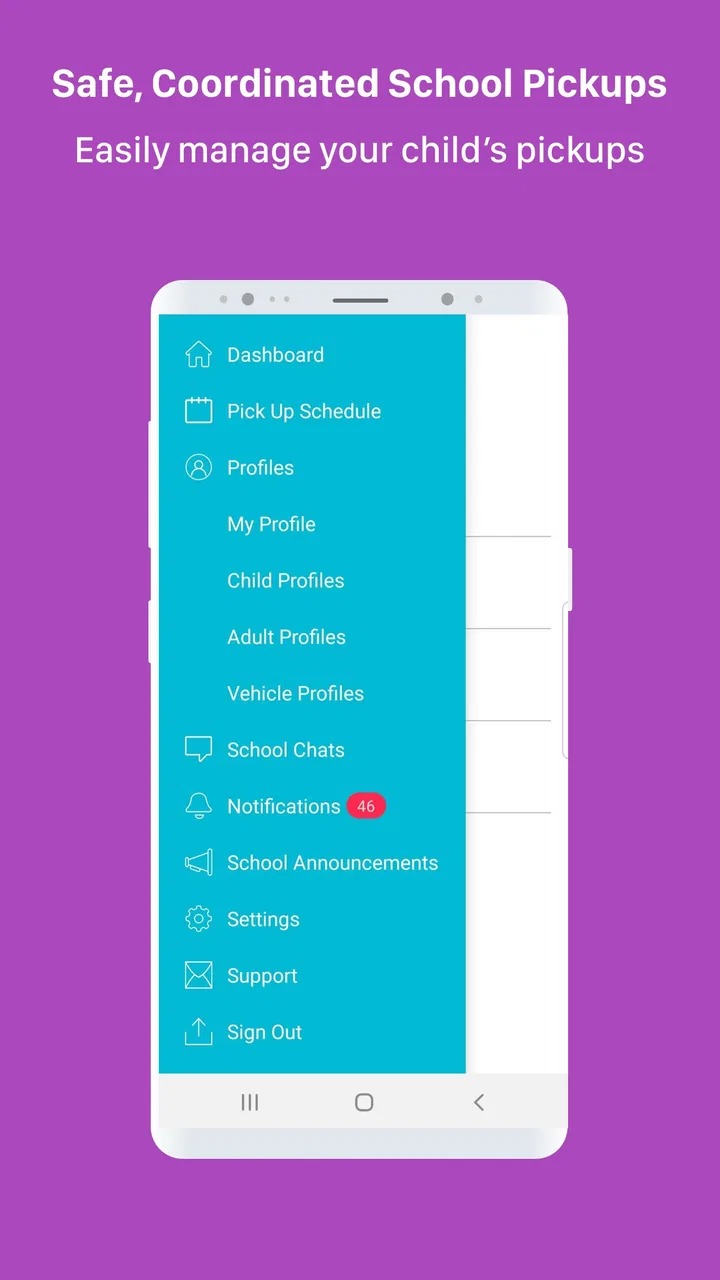
FetchKids supports managing multiple children and locations, making it ideal for families with more than one child attending different schools. The app allows parents to set up profiles for each child and customize pickup schedules accordingly, ensuring a seamless experience across various locations.
Pros
- User-friendly interface for easy navigation.
- Real-time updates on pickup status.
- Customizable pickup schedules.
- Secure communication with school staff.
- Integration with multiple school systems.
Cons
- Limited support for non-English languages.
- Requires internet for full functionality.
- May drain battery with constant use.
- Occasional notification delays.
- Needs frequent updates for best performance.

FetchKids - Organized Pickups
Gallery